
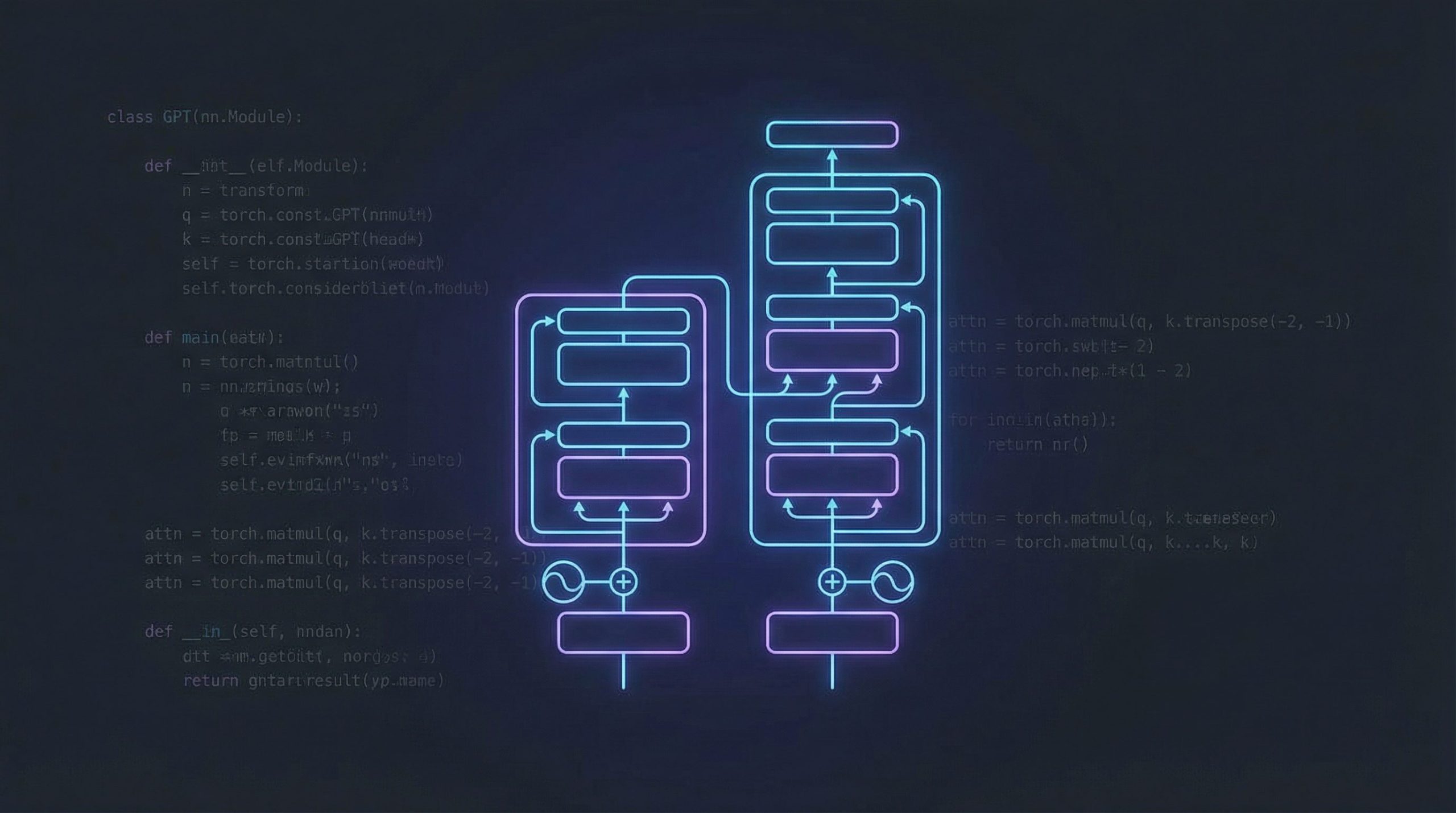
Ever wondered how models like ChatGPT actually work under the hood? In this tutorial, we’ll build a tiny GPT model from scratch using PyTorch — no PhD required. We’ll lean on Andrej Karpathy’s brilliant nanoGPT repo as our guide and strip the architecture down to its essentials.
By the end, you’ll understand the core building blocks of a GPT: token embeddings, self-attention, feedforward layers, and the training loop. And you’ll have code you can actually run.
What Is a GPT, Really?
GPT stands for Generative Pre-trained Transformer. At its heart, it’s a next-token predictor: given a sequence of tokens (words, characters, sub-words), it predicts the most likely next token. Stack enough of these predictions and you get coherent text generation.
The architecture is a decoder-only Transformer — a stack of identical blocks, each containing two main operations:
- Causal Self-Attention — lets each token look at all previous tokens (but not future ones) to build context
- Feed-Forward Network (MLP) — processes each token position independently through a small neural network
That’s it. The magic is in the scale and the data, not the complexity of the architecture.
Setup
You’ll need Python 3.8+ and PyTorch. Install the dependencies:
pip install torch numpy tiktokenIf you have a GPU, make sure you install the CUDA version of PyTorch. On a Mac with Apple Silicon, PyTorch can use MPS (Metal Performance Shaders) for a nice speedup.
Step 1: Define the Model Config
Every GPT model starts with a configuration. This tells us how big the model is: how many layers, how many attention heads, the embedding dimension, etc.
from dataclasses import dataclass

@dataclass
class GPTConfig:
    block_size: int = 256      # max sequence length (context window)
    vocab_size: int = 65       # number of unique tokens
    n_layer: int = 6           # number of transformer blocks
    n_head: int = 6            # number of attention heads
    n_embd: int = 384          # embedding dimension
    dropout: float = 0.2       # dropout rate
These are “baby GPT” settings — small enough to train on a single GPU in minutes. For comparison, GPT-2 (small) uses 12 layers, 12 heads, and 768-dimensional embeddings.
Step 2: Self-Attention — The Core Idea
Self-attention is the mechanism that lets the model figure out which tokens in the past are relevant for predicting the next one. Here’s how it works:
- Each token produces three vectors: a Query (what am I looking for?), a Key (what do I contain?), and a Value (what information do I provide?).
- We compute attention scores by taking the dot product of Queries with Keys.
- We mask future positions (so the model can’t cheat by looking ahead).
- We use the scores to create a weighted sum of Values.
import torch
import torch.nn as nn
from torch.nn import functional as F

class CausalSelfAttention(nn.Module):

    def __init__(self, config):
        super().__init__()
        assert config.n_embd % config.n_head == 0
        # Q, K, V projections packed into one linear layer
        self.c_attn = nn.Linear(config.n_embd, 3 * config.n_embd)
        # output projection
        self.c_proj = nn.Linear(config.n_embd, config.n_embd)
        self.attn_dropout = nn.Dropout(config.dropout)
        self.resid_dropout = nn.Dropout(config.dropout)
        self.n_head = config.n_head
        self.n_embd = config.n_embd

    def forward(self, x):
        B, T, C = x.size()  # batch, sequence length, embedding dim

        # compute Q, K, V for all heads in one shot
        q, k, v = self.c_attn(x).split(self.n_embd, dim=2)
        # reshape into (batch, n_heads, seq_len, head_dim)
        k = k.view(B, T, self.n_head, C // self.n_head).transpose(1, 2)
        q = q.view(B, T, self.n_head, C // self.n_head).transpose(1, 2)
        v = v.view(B, T, self.n_head, C // self.n_head).transpose(1, 2)

        # use PyTorch's efficient Flash Attention
        y = F.scaled_dot_product_attention(
            q, k, v, dropout_p=self.attn_dropout.p if self.training else 0,
            is_causal=True
        )

        # reassemble heads and project
        y = y.transpose(1, 2).contiguous().view(B, T, C)
        return self.resid_dropout(self.c_proj(y))
The is_causal=True flag tells PyTorch to apply the triangular mask automatically — no need to build it yourself. This also enables Flash Attention, a memory-efficient algorithm that’s much faster on GPUs.
Step 3: The Feed-Forward Network
After attention, each token passes through a small MLP. This is where individual token representations get “processed.” It’s just two linear layers with a GELU activation:
class MLP(nn.Module):

    def __init__(self, config):
        super().__init__()
        self.c_fc = nn.Linear(config.n_embd, 4 * config.n_embd)
        self.gelu = nn.GELU()
        self.c_proj = nn.Linear(4 * config.n_embd, config.n_embd)
        self.dropout = nn.Dropout(config.dropout)

    def forward(self, x):
        x = self.c_fc(x)
        x = self.gelu(x)
        x = self.c_proj(x)
        return self.dropout(x)
The inner dimension is 4× the embedding dimension. This is a standard design choice from the original Transformer paper.
Step 4: The Transformer Block
A single Transformer block combines attention and MLP with residual connections and layer normalization. The residual connections let gradients flow directly through the network, which is critical for training deep models:
class Block(nn.Module):

    def __init__(self, config):
        super().__init__()
        self.ln_1 = nn.LayerNorm(config.n_embd)
        self.attn = CausalSelfAttention(config)
        self.ln_2 = nn.LayerNorm(config.n_embd)
        self.mlp = MLP(config)

    def forward(self, x):
        x = x + self.attn(self.ln_1(x))  # attention + residual
        x = x + self.mlp(self.ln_2(x))   # MLP + residual
        return x
Notice the “pre-norm” pattern: we apply LayerNorm before attention and MLP, not after. This is a small but important change from the original Transformer — it makes training more stable.
Step 5: Putting It All Together — The GPT Model
Now we stack everything into a complete model:
class GPT(nn.Module):

    def __init__(self, config):
        super().__init__()
        self.config = config

        self.transformer = nn.ModuleDict(dict(
            wte = nn.Embedding(config.vocab_size, config.n_embd),   # token embeddings
            wpe = nn.Embedding(config.block_size, config.n_embd),   # position embeddings
            drop = nn.Dropout(config.dropout),
            h = nn.ModuleList([Block(config) for _ in range(config.n_layer)]),
            ln_f = nn.LayerNorm(config.n_embd),                     # final layer norm
        ))
        self.lm_head = nn.Linear(config.n_embd, config.vocab_size, bias=False)

        # weight tying: share weights between token embeddings and output head
        self.transformer.wte.weight = self.lm_head.weight

    def forward(self, idx, targets=None):
        b, t = idx.size()
        pos = torch.arange(0, t, dtype=torch.long, device=idx.device)

        # token + position embeddings
        tok_emb = self.transformer.wte(idx)
        pos_emb = self.transformer.wpe(pos)
        x = self.transformer.drop(tok_emb + pos_emb)

        # pass through all transformer blocks
        for block in self.transformer.h:
            x = block(x)
        x = self.transformer.ln_f(x)

        # project to vocabulary
        logits = self.lm_head(x)

        # compute loss if targets provided
        loss = None
        if targets is not None:
            loss = F.cross_entropy(
                logits.view(-1, logits.size(-1)),
                targets.view(-1)
            )
        return logits, loss
Let’s break down the key pieces:
- Token embeddings (
wte): convert each token ID into a learnable vector - Position embeddings (
wpe): give the model a sense of order (token #1 vs token #50) - Weight tying: the token embedding matrix is shared with the output projection layer. This trick from Press & Wolf (2017) cuts parameters and improves performance
- Cross-entropy loss: the model is trained to predict the next token at every position
Step 6: Preparing the Data
For a quick experiment, we’ll train on Shakespeare’s complete works — about 1MB of text. We tokenize at the character level for simplicity:
import numpy as np

# load text
with open('shakespeare.txt', 'r') as f:
    text = f.read()

# character-level tokenizer
chars = sorted(list(set(text)))
vocab_size = len(chars)
stoi = {ch: i for i, ch in enumerate(chars)}
itos = {i: ch for i, ch in enumerate(chars)}
encode = lambda s: [stoi[c] for c in s]
decode = lambda l: ''.join([itos[i] for i in l])

# train/val split
data = np.array(encode(text), dtype=np.int64)
n = int(0.9 * len(data))
train_data = data[:n]
val_data = data[n:]
The “tokenizer” here is dead simple: each unique character gets an integer ID. Real GPT models use sub-word tokenizers like BPE (Byte Pair Encoding) with ~50,000 tokens, but character-level works fine for learning.
Step 7: The Training Loop
Here’s where the model actually learns. The training loop follows a straightforward pattern: sample a batch, compute the loss, backpropagate, update weights:
def get_batch(split, batch_size=32, block_size=256):
    data = train_data if split == 'train' else val_data
    ix = torch.randint(len(data) - block_size, (batch_size,))
    x = torch.stack([torch.from_numpy(data[i:i+block_size]) for i in ix])
    y = torch.stack([torch.from_numpy(data[i+1:i+1+block_size]) for i in ix])
    return x.to(device), y.to(device)

# setup
device = 'cuda' if torch.cuda.is_available() else 'cpu'
config = GPTConfig(vocab_size=vocab_size)
model = GPT(config).to(device)
optimizer = torch.optim.AdamW(model.parameters(), lr=3e-4)

# train
for step in range(5000):
    xb, yb = get_batch('train')
    logits, loss = model(xb, yb)

    optimizer.zero_grad(set_to_none=True)
    loss.backward()
    optimizer.step()

    if step % 500 == 0:
        print(f"step {step}: train loss {loss.item():.4f}")
Some things to note:
- The input
xand targetyare offset by one position: for each input token, the target is the next token in the sequence - We use AdamW, the go-to optimizer for Transformers (Adam with decoupled weight decay)
- A learning rate of
3e-4is a good starting point. Production models use learning rate schedules with warmup and cosine decay
Step 8: Generate Text
Once trained, generating text is autoregressive: predict one token, append it, predict the next, repeat:
@torch.no_grad()
def generate(model, idx, max_new_tokens, temperature=0.8, top_k=200):
    model.eval()
    for _ in range(max_new_tokens):
        # crop context to block_size if needed
        idx_cond = idx[:, -model.config.block_size:]
        logits, _ = model(idx_cond)
        # scale by temperature (higher = more random)
        logits = logits[:, -1, :] / temperature
        # top-k sampling: only consider the top k tokens
        if top_k is not None:
            v, _ = torch.topk(logits, min(top_k, logits.size(-1)))
            logits[logits < v[:, [-1]]] = -float('Inf')
        probs = F.softmax(logits, dim=-1)
        idx_next = torch.multinomial(probs, num_samples=1)
        idx = torch.cat((idx, idx_next), dim=1)
    return idx

# generate some Shakespeare
context = torch.zeros((1, 1), dtype=torch.long, device=device)
tokens = generate(model, context, max_new_tokens=500)
print(decode(tokens[0].tolist()))
The two knobs you can play with:
- Temperature: controls randomness. Lower (e.g. 0.5) = more deterministic, higher (e.g. 1.2) = more creative. 0.8 is a good default.
- Top-k: only sample from the top k most likely tokens. Prevents the model from picking very unlikely tokens.
What You'll Get
After about 5 minutes of training on a GPU (or ~15 minutes on a modern laptop), the model will produce text that looks vaguely Shakespearean:
DUKE VINCENTIO:
If you have done evils of all disposition
To end his power, the day of thrust for a common men
That I leave, to fight with over-liking
Hasting in a roseman.
It's not going to win a poetry prize, but for a model with ~10 million parameters trained on 1MB of text, it's remarkable. It learned English grammar, character names, dialogue formatting, and iambic-ish rhythm — all from raw characters.
Where to Go From Here
You've just built a working GPT. Here's how to take it further:
- Use a real tokenizer: Replace character-level with BPE using
tiktoken. This lets the model work with real-world text more efficiently. - Scale up: More layers, bigger embeddings, more data. Scaling laws are remarkably predictable.
- Fine-tune GPT-2: nanoGPT can load OpenAI's pretrained GPT-2 weights and fine-tune on your own data. Much faster than training from scratch.
- Add a learning rate schedule: Use cosine decay with linear warmup for better convergence on longer training runs.
- Try different datasets: Code, scientific papers, song lyrics — the same architecture works for all of them.
The Full Picture
Here's the complete architecture in one diagram:
Input tokens  →  Token Embeddings + Position Embeddings
                         ↓
              ┌─── Transformer Block (×N) ───┐
              │  LayerNorm → Self-Attention   │
              │  + residual connection        │
              │  LayerNorm → MLP              │
              │  + residual connection        │
              └──────────────────────────────┘
                         ↓
                  Final LayerNorm
                         ↓
              Linear → Vocabulary logits
                         ↓
                 Softmax → next token
That's the whole thing. A GPT is just embeddings, repeated blocks of attention + MLP with residual connections, and a linear output head. The simplicity is the point.
For the full, production-ready implementation, check out nanoGPT on GitHub. The entire model fits in ~300 lines of Python. Karpathy's Zero to Hero GPT video is also an excellent companion resource for understanding every line of code.
Ran this on my M2 MacBook with MPS backend and it trains surprisingly fast for a small model. I modified it to train on my own markdown notes and it started generating somewhat coherent text after about 20 minutes. Karpathy nanoGPT is such a good reference — glad you broke it down like this.
This is the best GPT-from-scratch tutorial I have found that does not skip the attention mechanism explanation. One suggestion: it would be cool to add a section on how to export the trained model and use it for inference separately, maybe with ONNX or torchscript. Would make it more practical for deployment.